How Clip Recipe turns video links into saved recipes
Save ingredients and directions from public cooking videos, then organize and use the written recipes.
Francisco MacedoUpdated
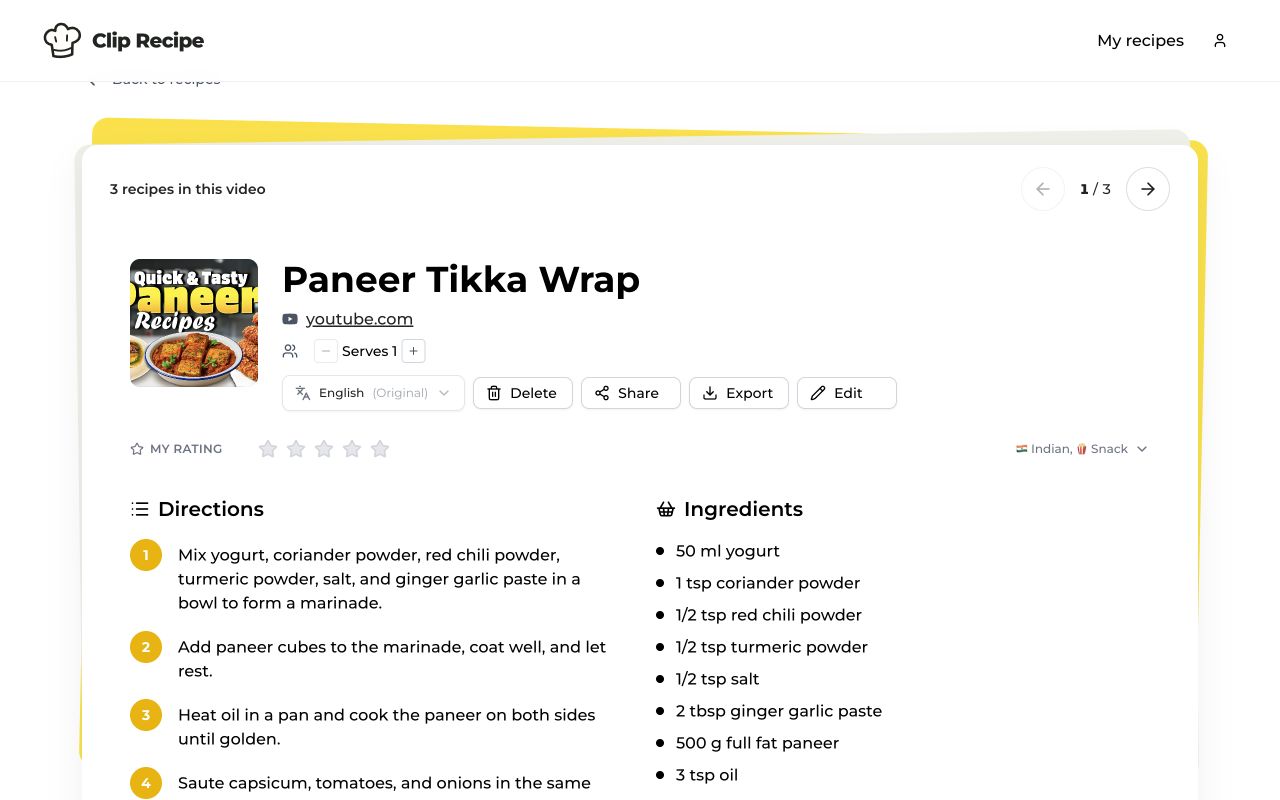
Clip Recipe extracts written recipes from public cooking videos and recipe pages. Paste a link to get the ingredients and directions in a recipe you can save, edit and cook from.
Start with a recipe link
- Copy a public link from YouTube, TikTok, Instagram, Facebook, Pinterest or a supported recipe website.
- Paste it into Clip Recipe and choose Extract recipe.
- Open the result and review the ingredients and directions. Other details, such as cooking time and equipment, depend on what the source provides.
Videos can be up to one hour long. Longer videos need useful captions, descriptions or comments. Private and login-only sources are not supported.
Keep each dish separately
A video that teaches several recipes can produce a separate recipe for each dish. They appear together as a deck in My recipes, with arrows to move between them. One video counts as one extraction.
Use your recipe collection
Search saved recipes, add tags and ratings, adjust servings, translate instructions or export individual recipes. You can edit your own copy when you make a substitution or find something missing.
In desktop Chrome, the Clip Recipe extension lets you extract from the page you’re already viewing.
Choose a plan
Extraction requires an active plan or trial. Resident Chef offers subscription options with a trial for eligible accounts; Master Chef is a one-time purchase with no trial. See pricing and trial terms.
Browse all supported sources, or follow the YouTube guide for a step-by-step example.