Save it straight
from Chrome.
Watching a recipe? Open Clip Recipe in the side panel to get the ingredients and steps. It saves to your account, ready for when you cook.
Add to ChromeChrome on desktop. Free to install.
Extraction requires a Clip Recipe plan.
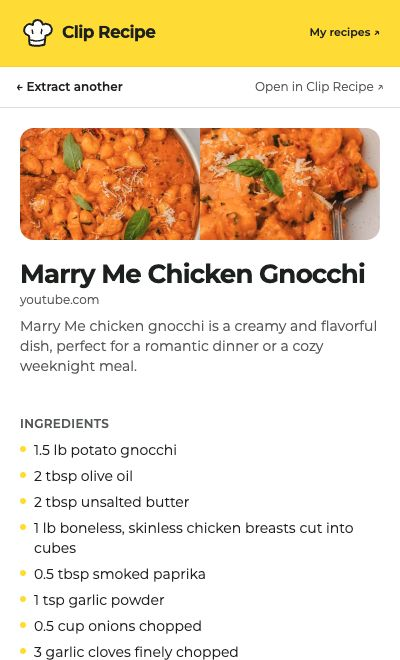
How the Chrome extension works
- 1
Add it to Chrome.
Install from the Chrome Web Store, then pin Clip Recipe using Chrome’s puzzle-piece menu. Sign in with your Clip Recipe account.
- 2
Open a recipe.
Open a cooking video or recipe page. Click the Clip Recipe icon to bring up the side panel, then choose Extract recipe.
- 3
Read your recipe.
Read the ingredients and directions beside the page. You can close the panel while it works; a notification lets you know when it’s ready.
Works with YouTube, TikTok, Instagram, Facebook, Pinterest, and recipe websites. Your saved recipes are also available in your Clip Recipe account.
Questions about the extension
Is the extension free?
It’s free to install. Recipe extraction requires a Clip Recipe account with an active plan, including an active trial. Existing customers use their current plan. See current plans.
Can I edit, translate, or export a recipe?
The side panel shows your written recipe. Open it in Clip Recipe to edit, translate, adjust servings, or export using the features included in your plan.
Does it work on my phone?
The extension is for Chrome on desktop. On your phone, copy a recipe’s link and paste it into Clip Recipe instead.
What does the extension access?
It reads the current tab’s URL and title to show the page you’re on. When you choose Extract recipe, it sends that URL to Clip Recipe. It doesn’t automatically extract pages as you browse. Read our privacy policy.