Clip Recipe is now in ChatGPT
Search recipes and turn cooking video links into written recipes inside ChatGPT. No plan? You get 5 free extractions a month.
Francisco Macedo
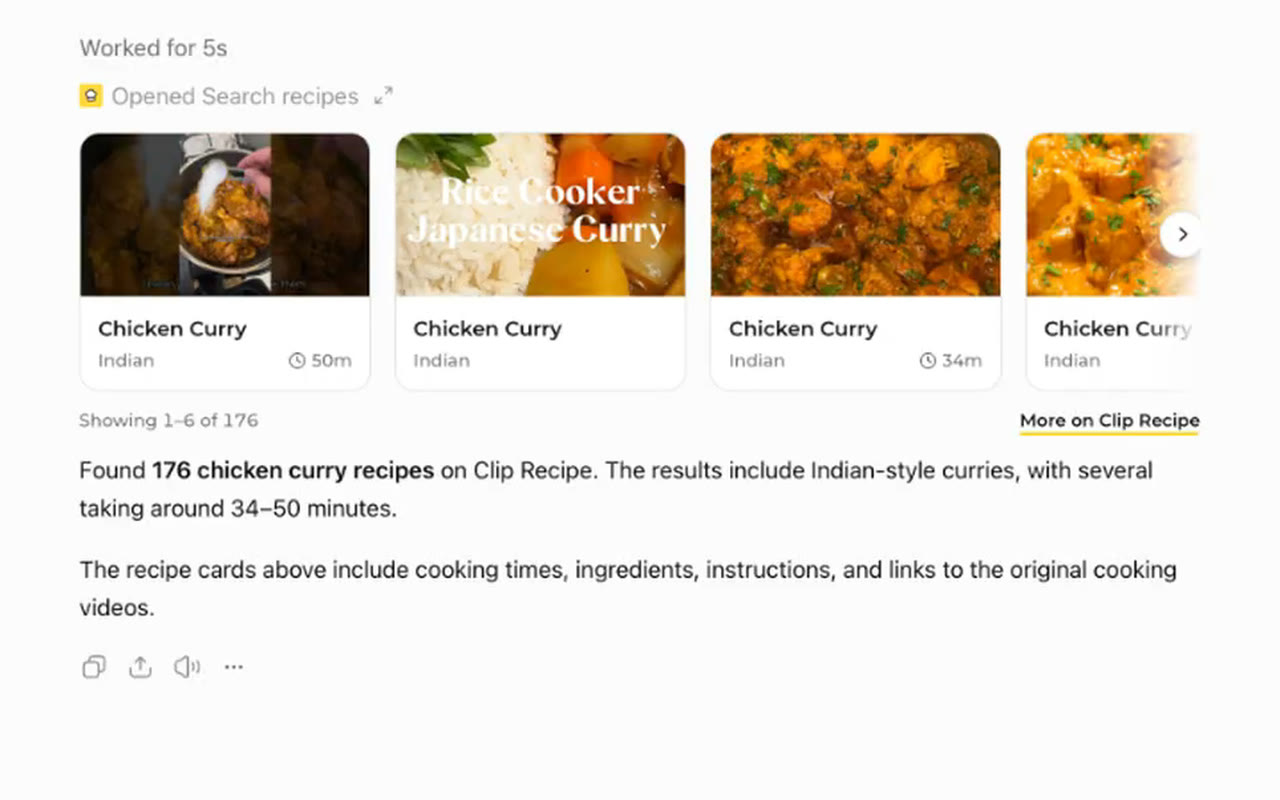
You can now use Clip Recipe inside ChatGPT. Ask for a recipe and you get cards with photos and cooking times. Open one to read the whole recipe. Paste a cooking video link and ChatGPT gives you the written recipe, saved to your Clip Recipe account.
What you can do in ChatGPT
- Search the recipe library. Look up public Clip Recipe recipes by dish, keyword or ingredient. ChatGPT shows a handful of results at a time.
- Open a full recipe. Read the ingredients, steps and times, with a link to the original video.
- Save recipes. Keep a recipe you found in your own library.
- Check your library. Ask what you saved and open any of it again.
- Extract a recipe from a link. Paste a TikTok, Instagram, YouTube, Facebook or Pinterest video, or a recipe web page.
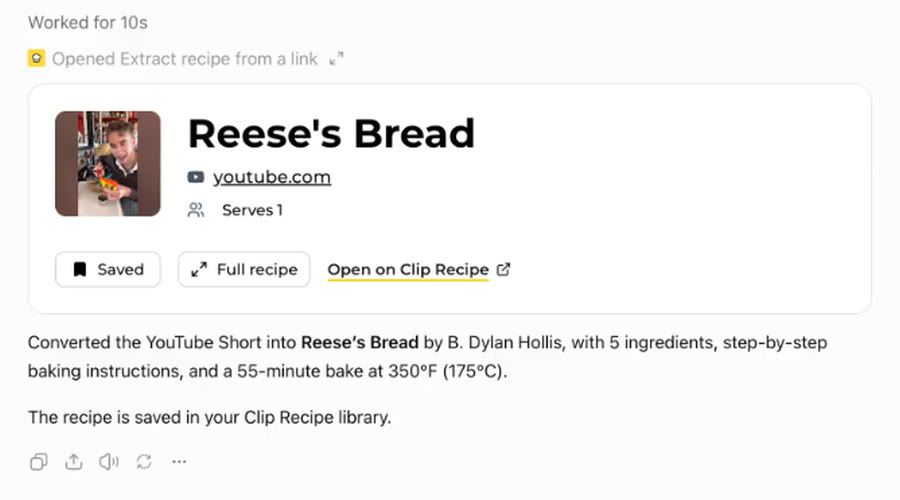
Extraction follows the same rules as on the website. The post must be public, and videos can be up to one hour. For videos longer than ten minutes, the recipe needs to be in the captions, description or comments.
Add Clip Recipe to ChatGPT
- Open the Clip Recipe page in ChatGPT. You can also choose Plugins in the ChatGPT sidebar and search for “Clip Recipe”.
- Click Install plugin, then start a chat with Clip Recipe.
- The first time you ask for something, ChatGPT shows a button to connect Clip Recipe. Sign in on the Clip Recipe page that opens and choose Allow. New to Clip Recipe? Signing in with Google or an email link creates your account.
Every feature needs a connected account, search included. Once connected, ChatGPT can see your name and email, read and save recipes in your library, and start extractions. It never sees your password or payment details. You can disconnect Clip Recipe in ChatGPT’s settings at any time, and your saved recipes stay in your library.
Things to ask
- “Find me a quick chickpea curry recipe.”
- “Turn this TikTok into a recipe:” followed by the link.
- “What did I save on Clip Recipe recently?”
If ChatGPT answers on its own, mention Clip Recipe by name, for example “Find me a chicken curry on Clip Recipe.”
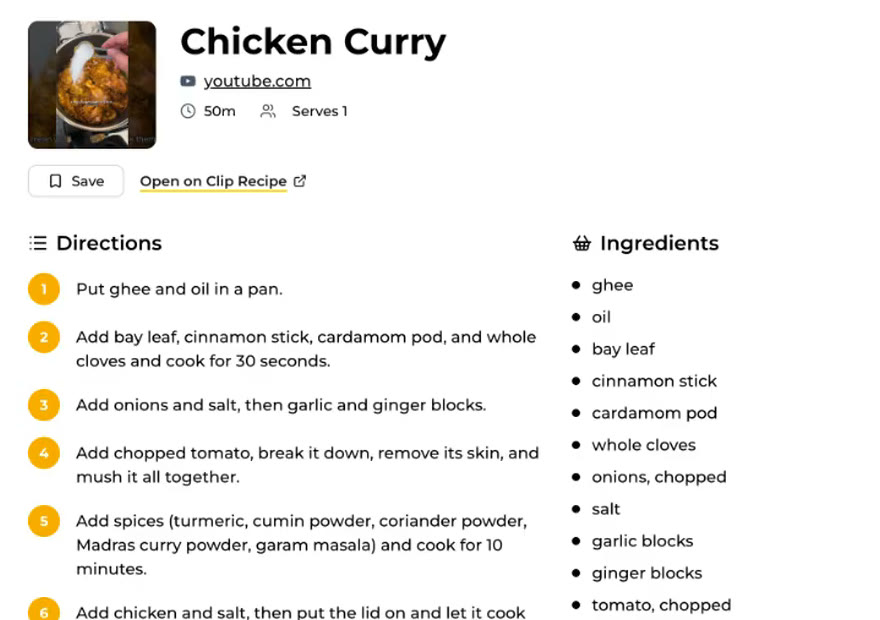
5 free extractions a month
You do not need a plan to try it. An account without a plan gets 5 free recipe extractions a month in ChatGPT. They come back on the 1st of every month, and unused ones do not carry over. An extraction that fails does not use one up, and a video with several dishes counts once.
The free extractions work only in ChatGPT. Each recipe is saved to My recipes on the website, where you can read it at any time. Editing, scaling, translating, sharing and exporting need a plan.
Already on a plan? ChatGPT uses the same plan as the website, with no monthly cap and no extra charge. Make sure ChatGPT is connected to the account that holds your plan. See the plans.